

Govbot for Claude
Ask Claude about U.S. legislation (bills, sponsors and how your legislators voted) and get answers that cite the official record, from data kept on your own computer.
Download for Claude Desktopgovbot.mcpb · Mac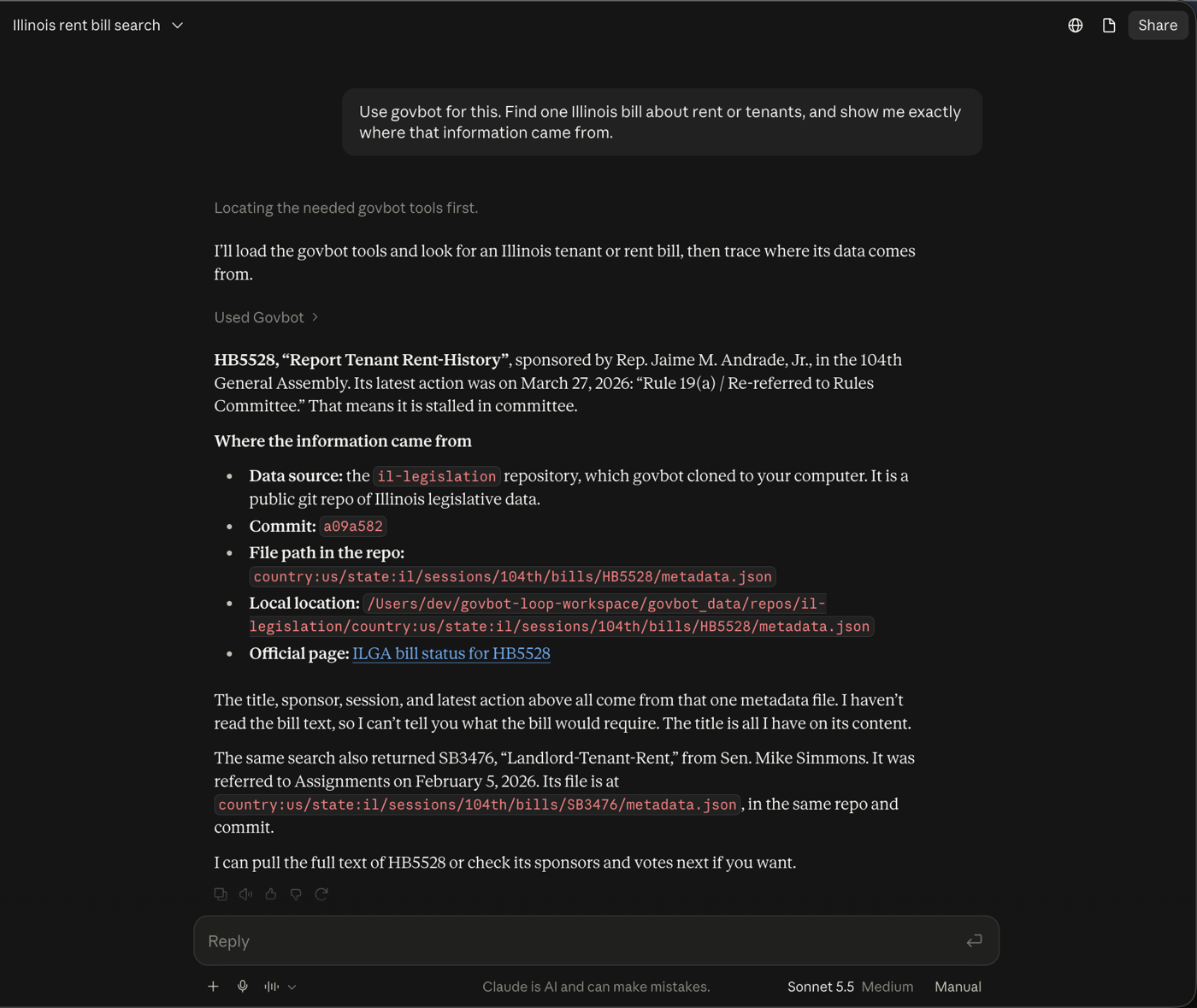
Before you start
govbot-workspace folder in your home folder. No account, no API key, nothing about you is sent anywhere.Install in four steps
You only do this once. After that, just ask Claude.
Download the extension
Download govbot.mcpb. It lands in your Downloads folder. It's one file that holds everything Claude needs to talk to govbot.
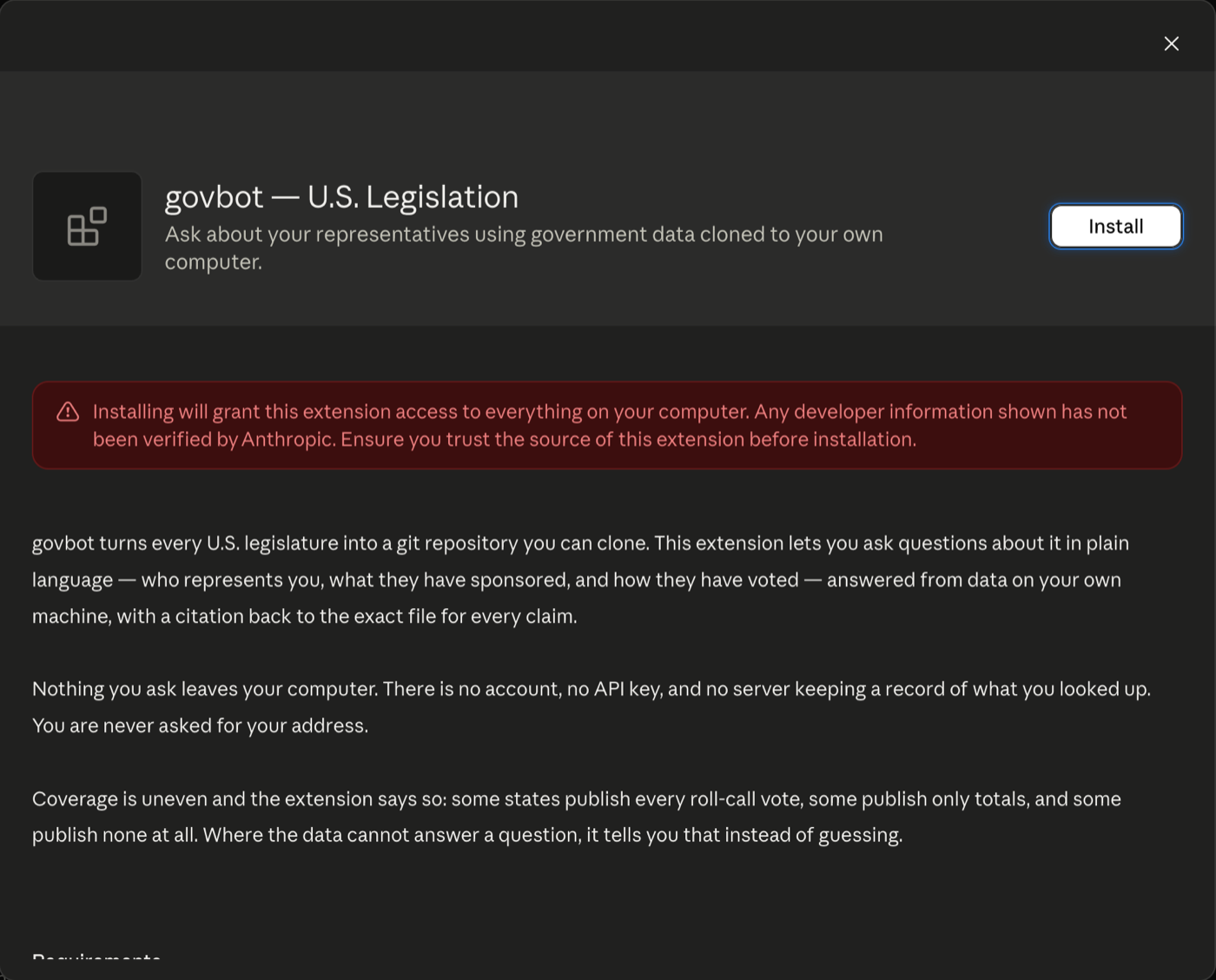
Open it in Claude Desktop
Double-click
govbot.mcpb. Claude Desktop opens and shows what the extension does. Click Install, then Install again when Claude asks “Do you want to install govbot?”. (You can also drag the file onto Claude Desktop's Settings → Desktop app → Extensions page.)The red note is Claude's standard warning for any extension that isn't from its directory. Govbot works only in its own folder, with public data it downloads from GitHub, and its code is open on GitHub ↗.
Check that it's turned on
In Claude Desktop, open Settings (⌘ ,) → Desktop app → Extensions. You should see govbot — U.S. Legislation under “Installed on your computer”. No settings are needed. Your data goes in
govbot-workspaceunless you pick another folder with Configure.Ask your first question
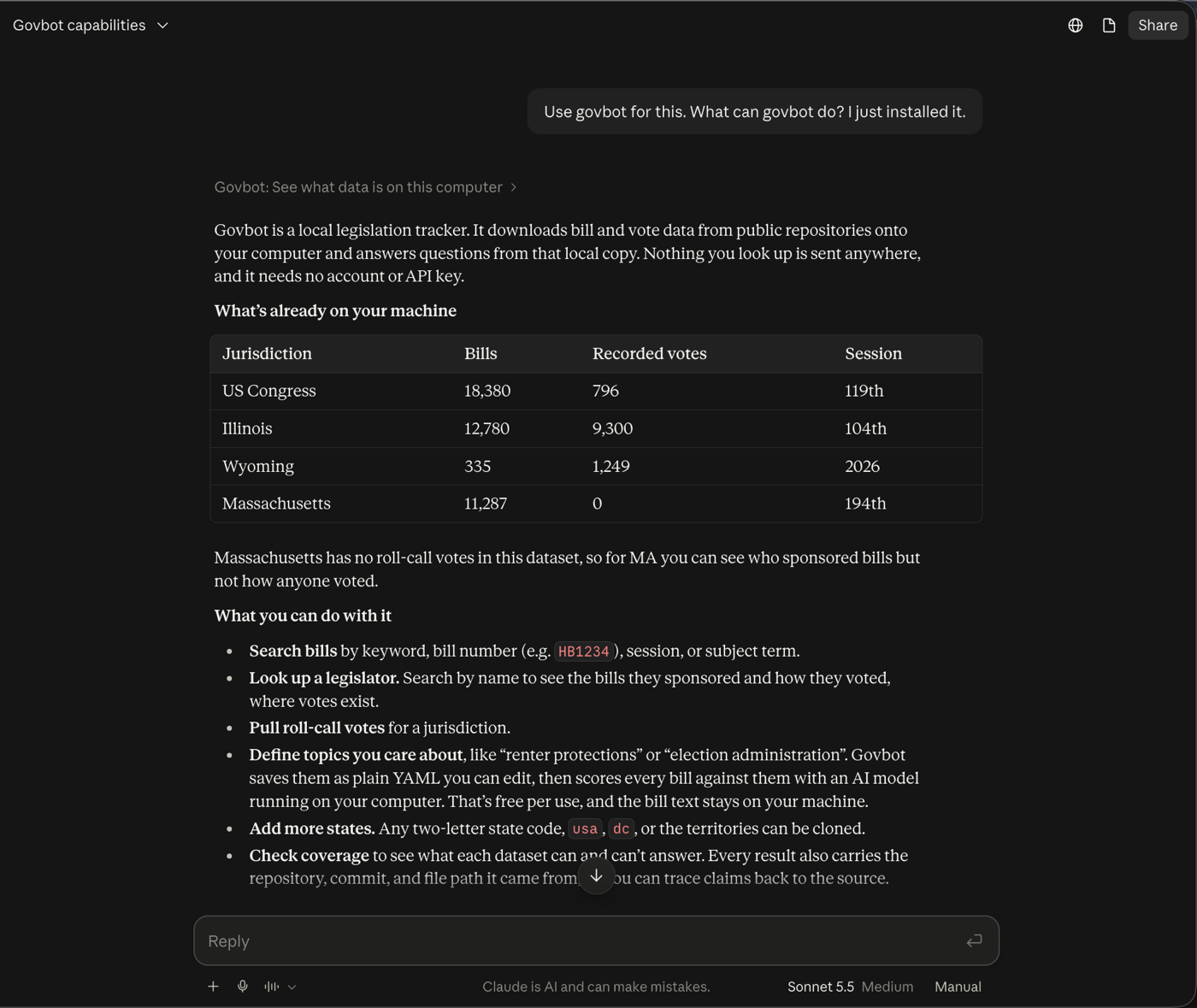
Start a new chat and type “Use Govbot: download Illinois, then tell me what data I have.” The first time Claude uses a Govbot tool it asks permission. Click Allow, or Always allow so it won't ask again. The first download of a state takes a minute or two.
Things to ask
Starting with “Use Govbot” makes sure Claude looks in your data instead of searching the web. Click one to copy it.
Updates and help
How do I update?
Govbot checks for a newer version at most once a day and Claude will tell you when one is out. To update, download govbot.mcpb again, open it and click Update. Your data and topics are kept.
Extensions only update by themselves when they come from Claude's own extension directory; Govbot isn't listed there yet.
I already use the govbot command line
You don't need to change anything. The extension runs its own built-in copy, and your Terminal keeps using yours. Claude's data is in ~/govbot-workspace, so run commands from that folder to see the same bills. To make Claude use your copy instead, enter its path under Configure in Settings → Desktop app → Extensions.
Claude searched the web instead of using Govbot
Start your question with “Use Govbot”. Check that govbot is listed in Settings → Desktop app → Extensions and turned on.
Where is my data, and what leaves my computer?
Everything is in govbot-workspace in your home folder: the public legislation you downloaded and a govbot.yml file with the topics you care about, which you can open and edit. Govbot downloads public data from GitHub and checks once a day for updates. It never asks for your address and never sends what you look up anywhere. Claude itself still sees your conversation, as with any chat.
Which states are covered?
All 50 states, Washington D.C., U.S. Congress and the territories. Coverage varies. For example, Massachusetts publishes no roll-call votes, and Govbot tells you when something isn't in the data instead of guessing.
Windows?
Not yet. Follow issue #19 ↗, or build it from source with Rust (see the developer notes ↗).